

Make video sessions a conversation.
Draw over the footage on your iPad and it's on the TV instantly.
Players ask, you show them. Keep the conversation flowing.
Mac and iPad. Set up in under a minute.
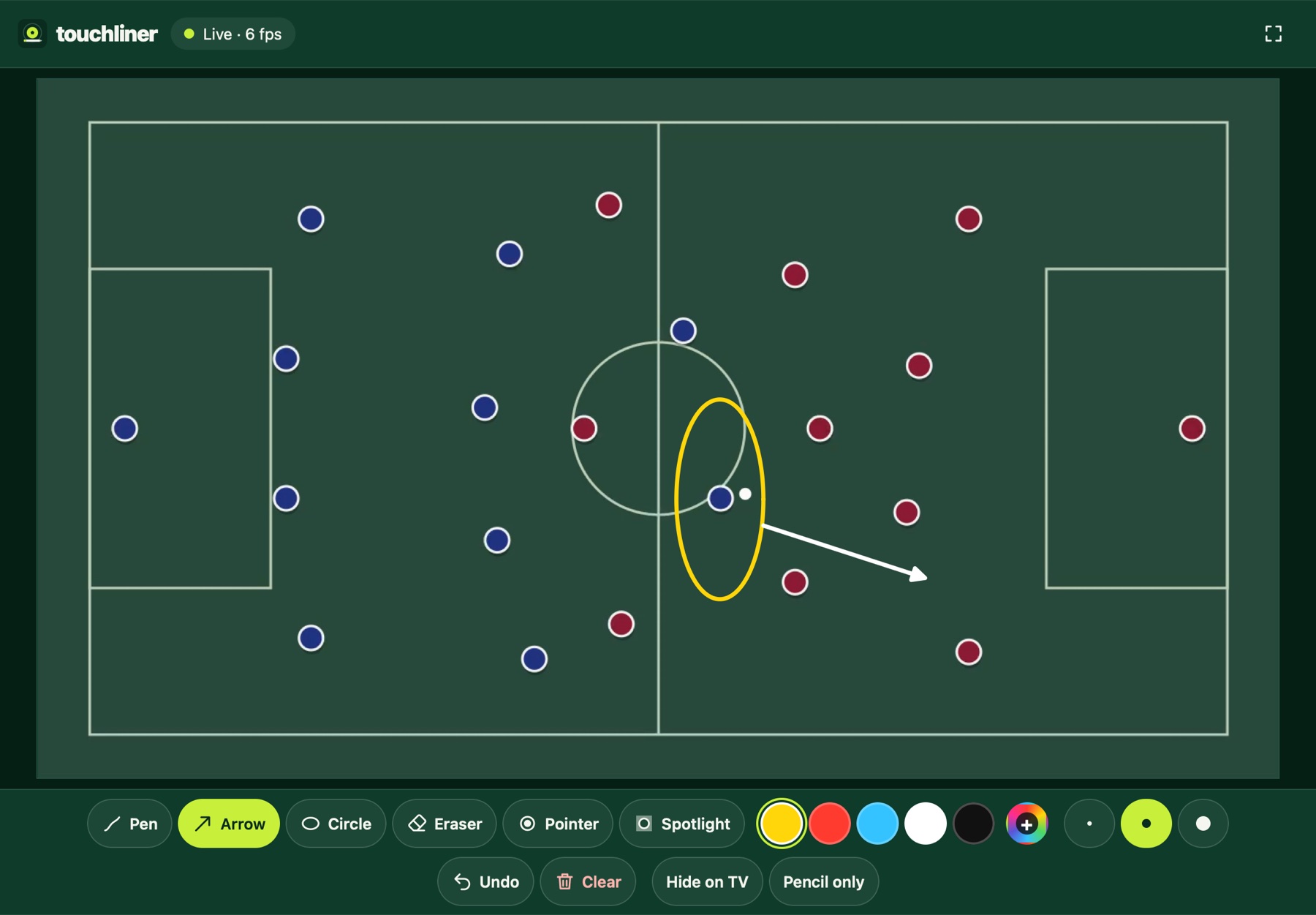
Pen, arrow, circle, pointer, spotlight.
Your iPad becomes a pen and a pointer for the TV.

Pen
Sketch a run, a shape or a word, freehand.

Arrow
Show where the pass or the run should go.

Circle
Ring a player or an area. It stays until you clear it.

Pointer
Point at the TV from your seat. The dot follows your finger and disappears when you let go.

Spotlight
Dim everything except the player you're talking about.
Draw as you go.
Talk through the clip and mark it up at the same time.
Live
The room sees every line the moment you draw it.
Over any software
Sits on top of whatever's on the TV, even full-screen. Your Mac works as normal.
Stays in the room
Everything runs over your Wi-Fi. Nothing is uploaded.
Up and running in under a minute.
Plug in the TV
Connect it to your Mac as a second screen.
Start a session
Open Touchliner and pick the TV.
Scan and draw
Scan the code with your iPad. That's it.
Pricing.
One plan. Everything included.
Touchliner
Billed monthly. Cancel any time.
- Every drawing tool
- Pointer and spotlight
- Updates included
- One Mac per subscription
Want to try it first? Download Touchliner and use every feature before you subscribe.
Prices include VAT where applicable. Payments are handled securely by our payment partner.
Questions.
What do I need?
A Mac on macOS 13 or later, a TV connected to it, and an iPad with Safari on the same Wi-Fi. Apple Pencil is optional.
Does it work with my analysis software?
Yes. Touchliner draws on a clear layer over whatever is on the TV, including full-screen playback, and your clicks go straight through. Touchliner is independent and not affiliated with any analysis software company.
Can I use it just as a pointer?
Yes. Choose Pointer and a dot follows your finger on the TV. Let go and it's gone.
Can I try it first?
Yes. Download it and use every feature. Until you subscribe, a faint watermark shows on the TV.
Can I use it on more than one Mac?
One Mac at a time. To switch, deactivate it on the old Mac first.
Does it need the internet?
The iPad and Mac talk over your Wi-Fi. Touchliner checks your subscription now and then, and keeps working for up to 14 days offline.
How do updates work?
Touchliner tells you when there's an update and installs it in one click. Updates are included.
How do I cancel?
Use the link in your receipt email. You keep access until the end of the month. See the refund policy.